
GPT Image 2 reference image prompts
GPT Image 2 Reference Image Prompts
Copy GPT Image 2 reference image prompt templates for product identity, style transfer, background changes, composition, and brand consistency.
Quick answer
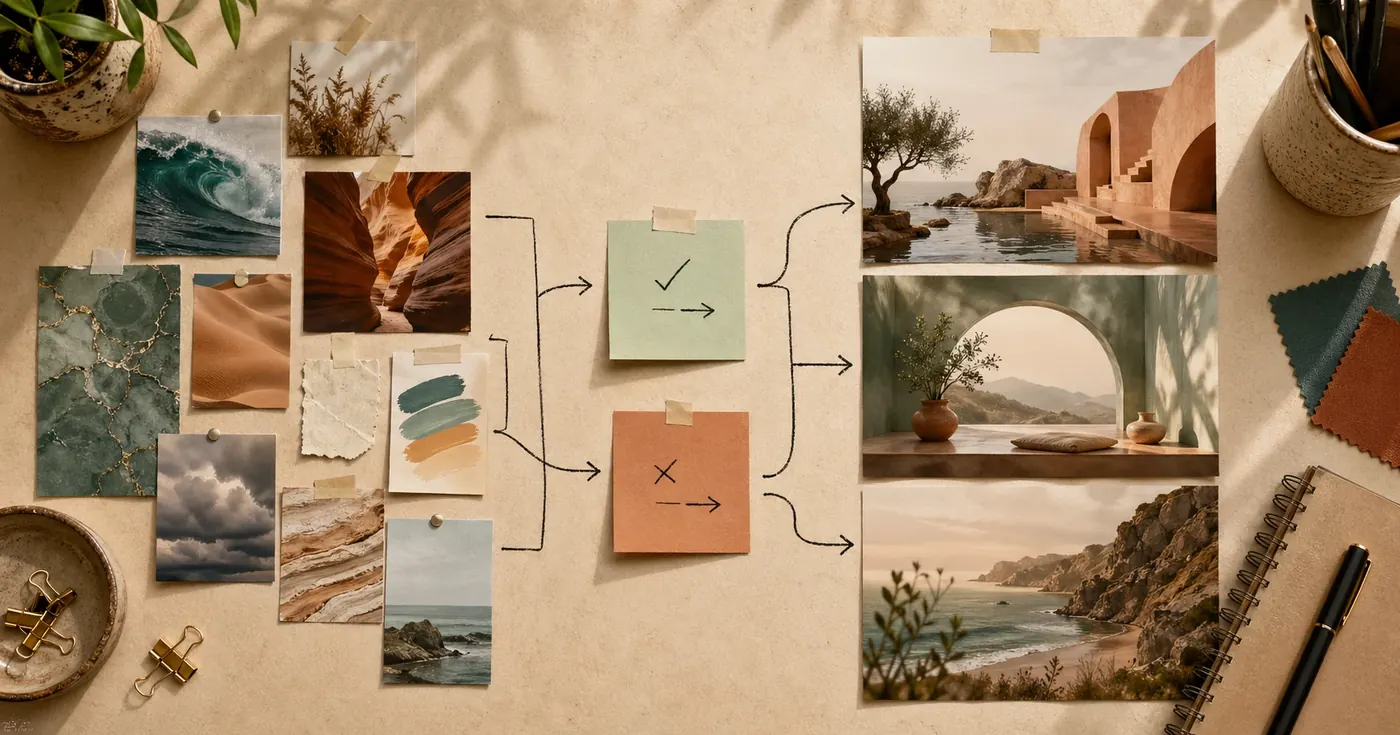
A strong GPT Image 2 reference image prompt tells the model three things: what role each reference image plays, what must be preserved, and what should change in the result. Do not upload a reference image and say "make it like this." Label the reference, separate identity from style, and give the output format.
Use this base pattern:
Use the uploaded reference image as [role].
Preserve: [specific elements that must stay recognizable].
Change: [specific elements to transform].
Output: [asset type, channel, aspect ratio, and final use].
Style: [visual treatment if not already defined by the reference].
Constraints: [what not to alter, add, crop, or invent].
Reference images are most useful when text alone cannot reliably describe the detail you need: a product shape, packaging face, character identity, interior layout, pose, camera angle, art direction, or brand mood.
What A Reference Image Can Control
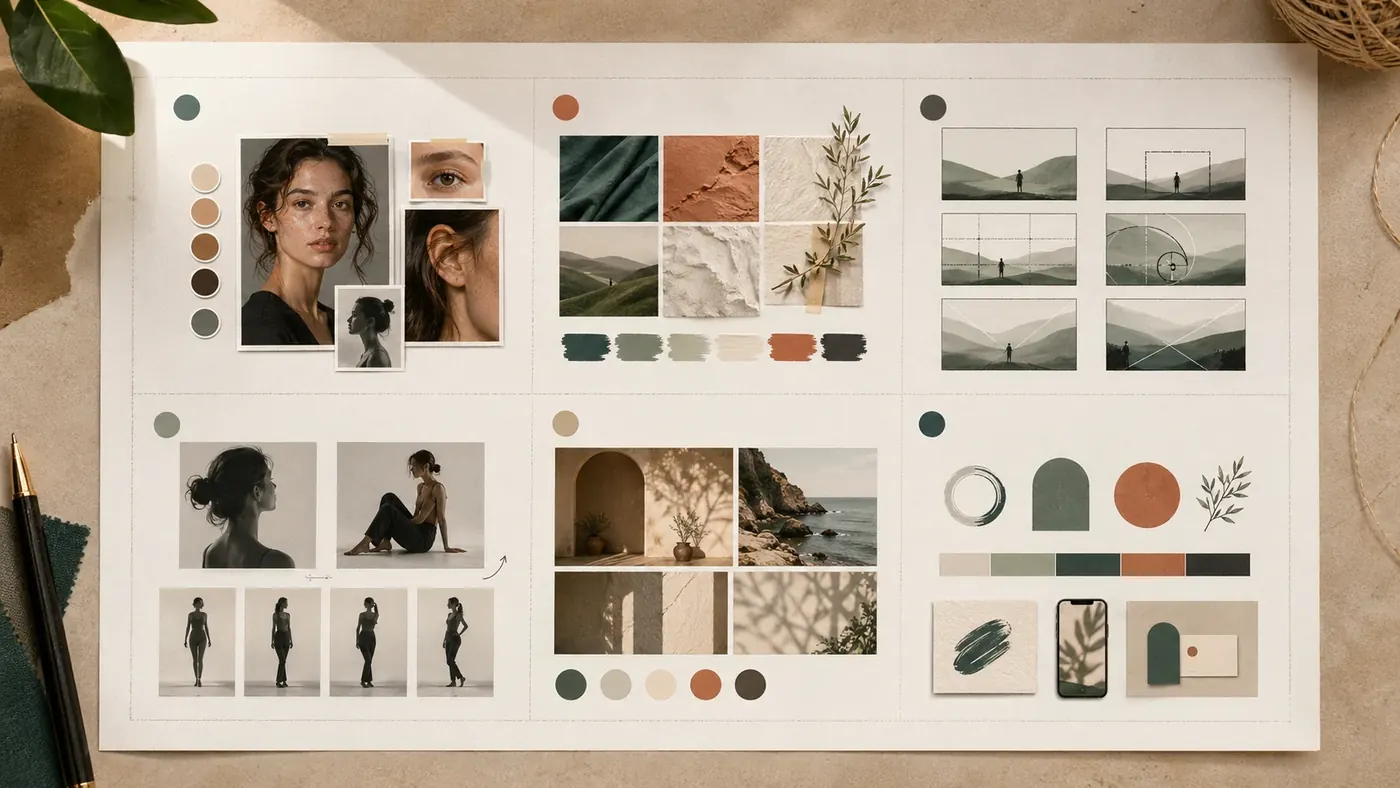
Treat every reference image as an instruction source. The same uploaded image can accidentally control too much unless you name its job.
| Reference role | What it controls | What to say in the prompt |
|---|---|---|
| Identity reference | Product, face, character, object shape, label placement | "Preserve the exact product silhouette, proportions, cap color, and front label layout." |
| Style reference | Lighting, palette, texture, illustration style, mood | "Borrow only the color palette, paper texture, and soft editorial lighting." |
| Composition reference | Framing, camera angle, negative space, object placement | "Use the same centered composition and top-right copy space, but not the subject." |
| Pose reference | Body angle, hand placement, gesture, stance | "Match the pose and camera angle while replacing the outfit and setting." |
| Background reference | Environment, surface, room, landscape, material context | "Use this room as the background direction; do not copy the people or props." |
| Brand reference | System-level cues across multiple assets | "Extract the brand mood: warm neutrals, rounded product staging, soft shadows, minimal props." |
The mistake is assuming the model knows which category you mean. If you upload a product photo for identity, but the photo also has dramatic lighting, the model may preserve both. If you only want identity, say so.
The Preserve / Change Contract
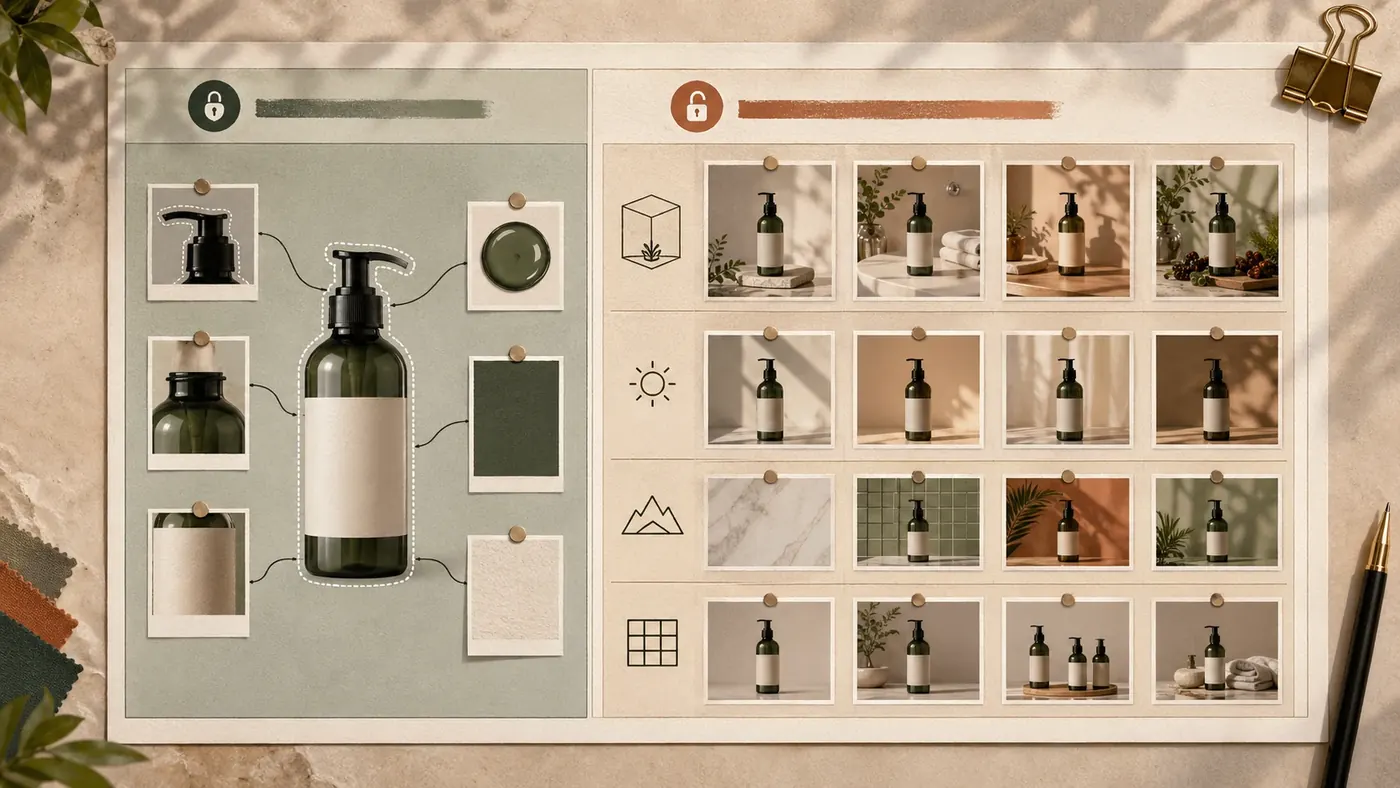
The best reference-image prompts read like a contract. They divide the image into locked details and editable details.
| Prompt field | Use it for | Example |
|---|---|---|
Reference role | Tells the model why the image was uploaded | "Use Reference A as the product identity reference." |
Preserve | Locks the details that must survive | "Bottle shape, lid color, label placement, material texture." |
Change | Gives permission to transform specific areas | "Replace the kitchen with a warm studio background." |
Do not change | Blocks common identity drift | "Do not alter logo shape, text placement, proportions, or colorway." |
Output | Defines the final asset | "Square ecommerce hero, centered product, no text." |
Inspection note | Makes revision easier | "If the label changes, regenerate with stricter identity preservation." |
Use nouns and visible properties. "Keep the vibe" is weak. "Keep the cream background, long shadows, muted clay palette, and left-aligned composition" is usable.
Single Reference Image vs Multiple Reference Images
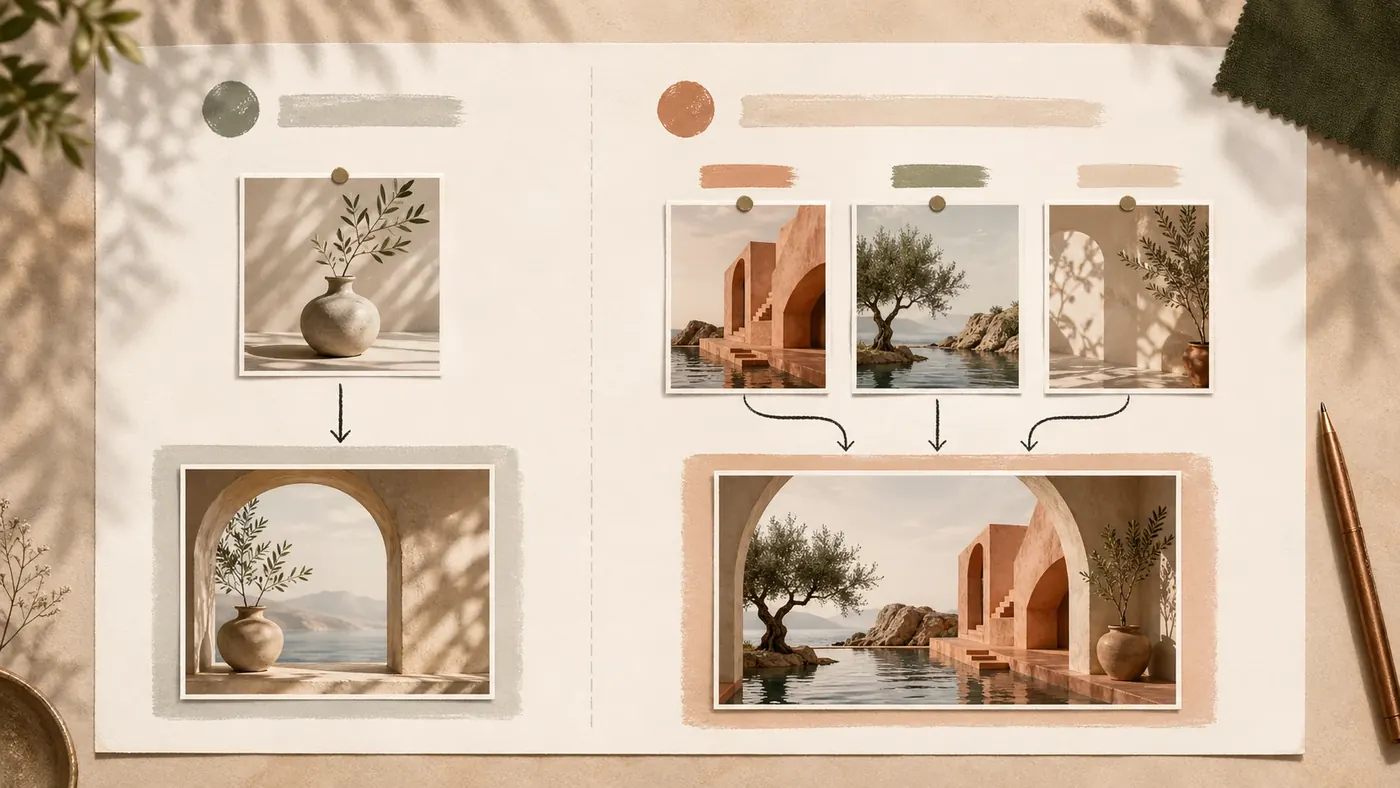
Use one reference image when the job is simple: preserve one product, copy one pose, or restage one photo. Use multiple references when different inputs should control different layers of the final image.
| Workflow | Best for | Prompt pattern |
|---|---|---|
| Single reference | Product restaging, background replacement, pose reuse, simple style matching | "Use the uploaded image as the product identity reference. Preserve X. Change Y." |
| Two references | Product plus style, character plus environment, pose plus outfit | "Reference A controls identity. Reference B controls style. Do not mix their subjects." |
| Three or more references | Brand campaigns, lookbook systems, ecommerce sets | "Reference A controls product identity, B controls lighting, C controls composition. Resolve conflicts in favor of A." |
When using multiple references, assign labels before giving creative direction:
Reference A: product identity.
Reference B: lighting and color palette.
Reference C: composition and negative space.

Create a final image that preserves A, borrows the visual treatment from B, and follows the layout of C.
That one paragraph prevents the most common multi-reference failure: the model blending the wrong subject from the style or composition image into the result.
Reusable Reference Image Prompt Templates
Each template below includes a reference-image instruction, a result prompt, and an example image pair. Replace bracketed fields with your own asset details.
Template 1: Preserve Product Identity
Use this when you need a new ad, ecommerce hero, or campaign image but the product must remain recognizable.
Reference image:
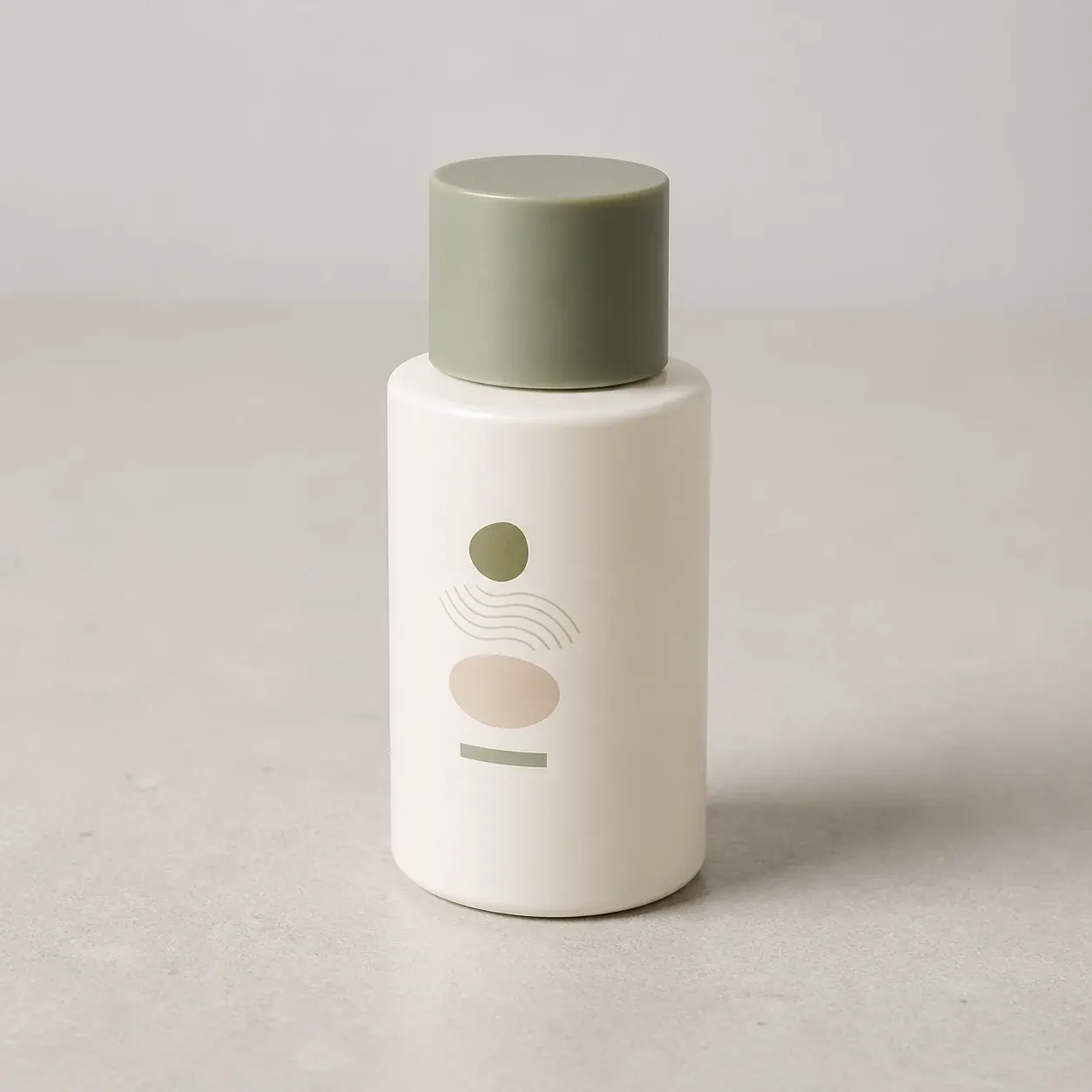
Prompt:
Use the uploaded image as the product identity reference.

Preserve: exact bottle silhouette, cap shape, front label position, material finish, colorway, and product proportions.
Change: replace the existing background with a clean premium studio setup using warm stone surfaces, soft shadows, and a small botanical prop.
Output: square ecommerce hero image for a product detail page.
Composition: product centered, straight vertical alignment, enough margin around the bottle for cropping.
Text: no added text.
Constraints: do not redesign the label, do not invent new branding, do not change the cap, do not crop the product, do not add hands.
Result image:
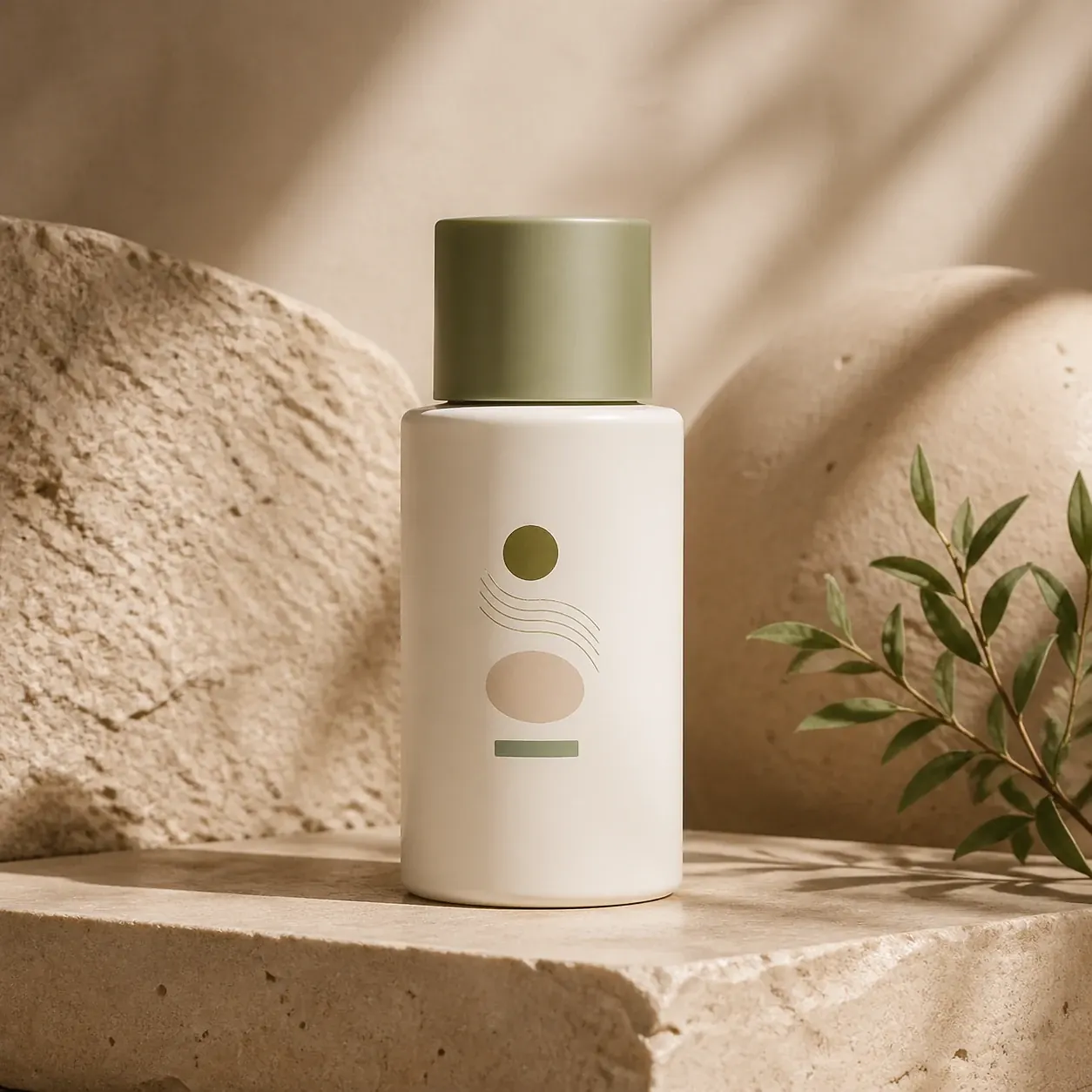
Why it works: it tells GPT Image 2 that the product is the locked layer and the scene is the editable layer. That distinction matters more than adding style adjectives.
Template 2: Borrow Style Without Copying The Subject
Use this when you like the mood, palette, material, or lighting of a reference image but need an original subject.
Reference image:
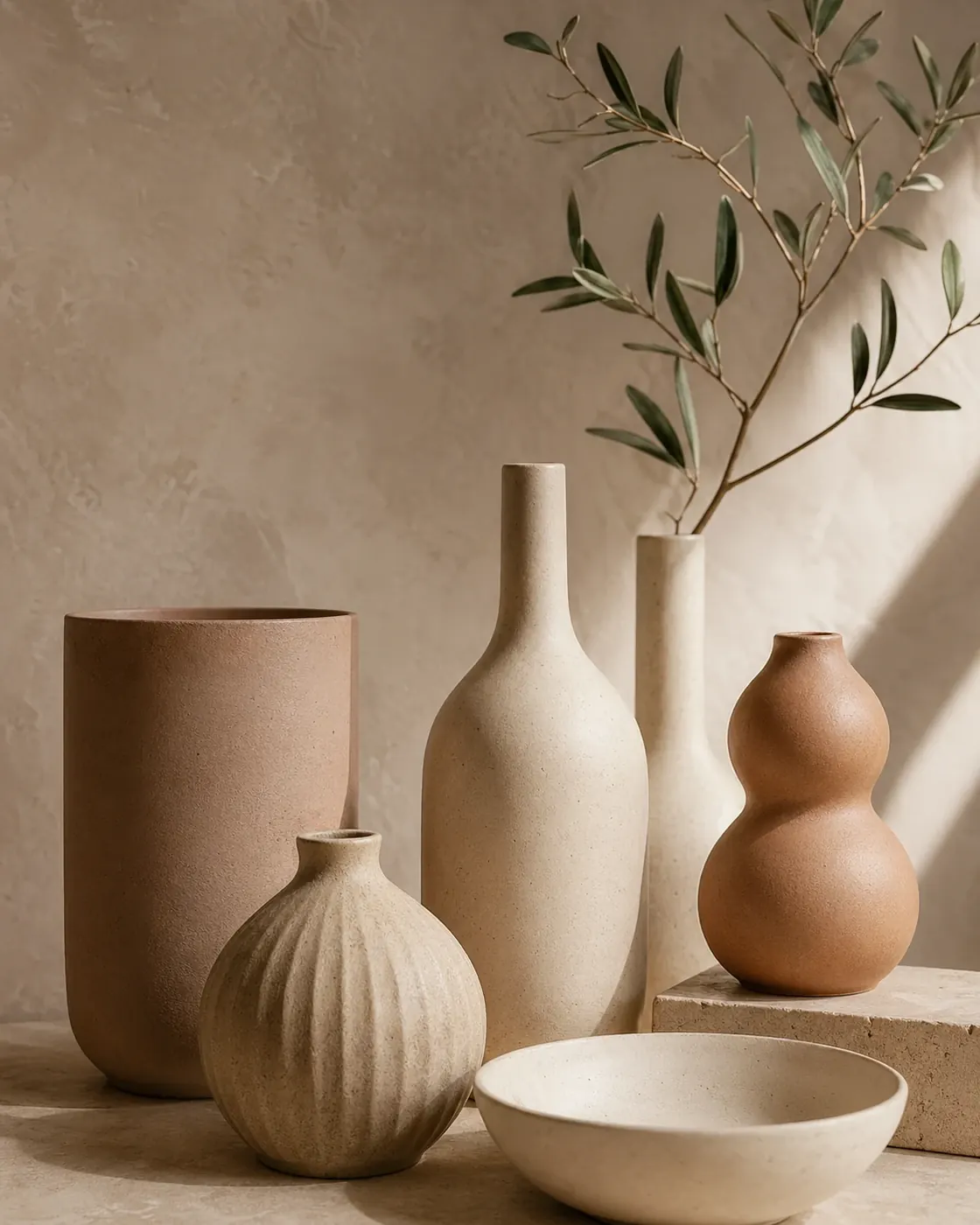
Prompt:
Use the uploaded image as a style reference only.

Borrow: muted clay and cream palette, soft side lighting, editorial still-life mood, matte texture, relaxed premium spacing.
Do not borrow: the objects, product category, logo, text, packaging, or exact scene.
Create: a vertical launch image for a ceramic desk lamp.
Composition: lamp in the lower center, warm shadow on the wall, generous empty space at the top for headline placement.
Output: vertical 4:5 image for a social campaign.
Constraints: no readable text, no copied objects from the reference, no fake brand marks.
Result image:

Why it works: the prompt explicitly says what not to copy. Style references are powerful, but without a boundary they can leak subject matter into the output.
Template 3: Redo The Background While Keeping The Subject
Use this for ecommerce, marketplace listings, paid ads, and seasonal refreshes where the original subject is good but the environment is not.
Reference image:
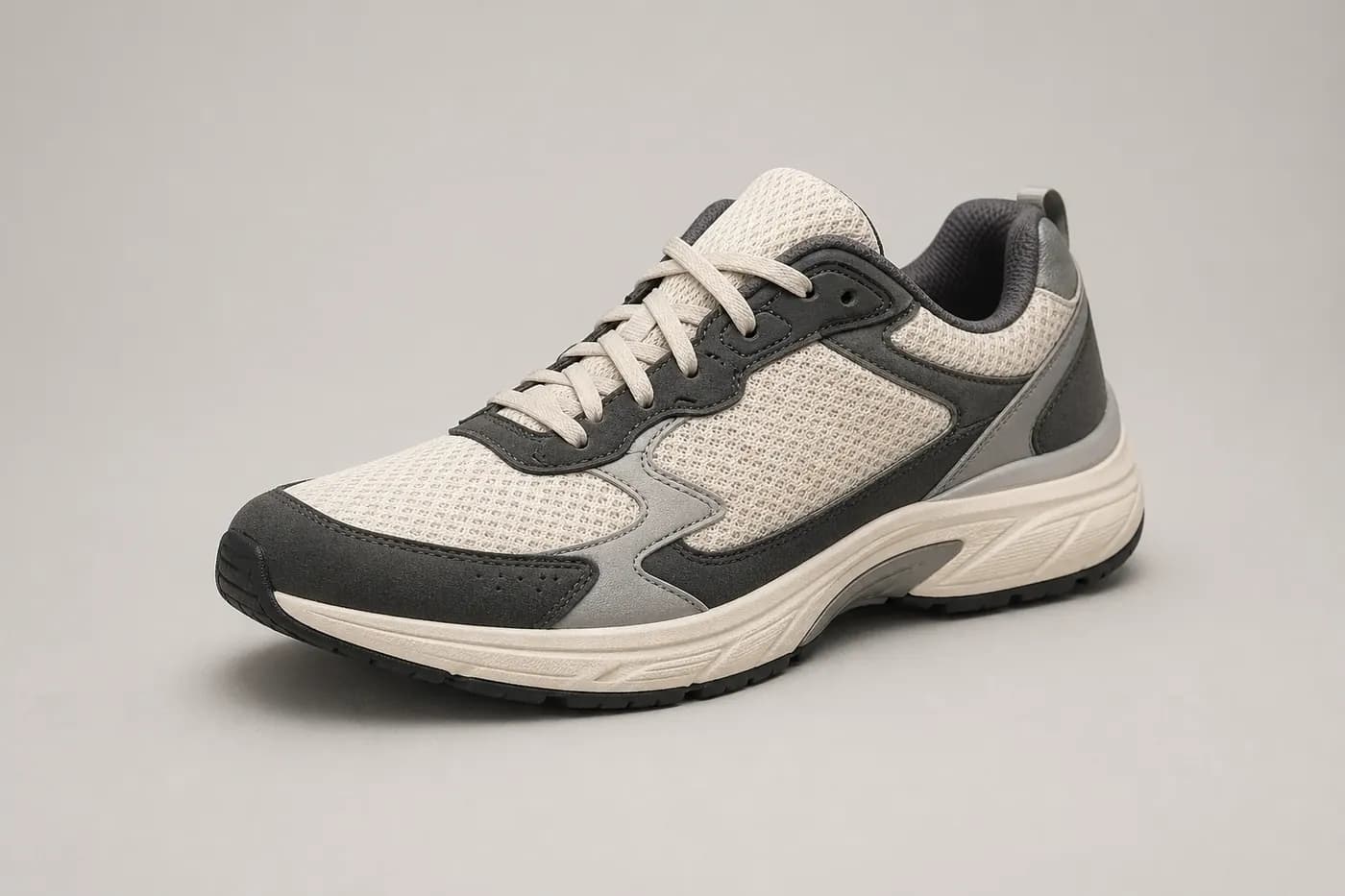
Prompt:
Use the uploaded image as the subject reference.

Preserve: sneaker shape, angle, sole profile, material panels, lace structure, and color blocking.
Change: remove the current background and place the sneaker on a clean outdoor running track at sunrise.
Lighting: natural warm rim light, realistic contact shadow under the shoe.
Output: horizontal campaign banner with the sneaker on the right and empty copy space on the left.
Constraints: do not alter the shoe proportions, do not add a foot or person, do not change the logo placement, do not add text.
Result image:
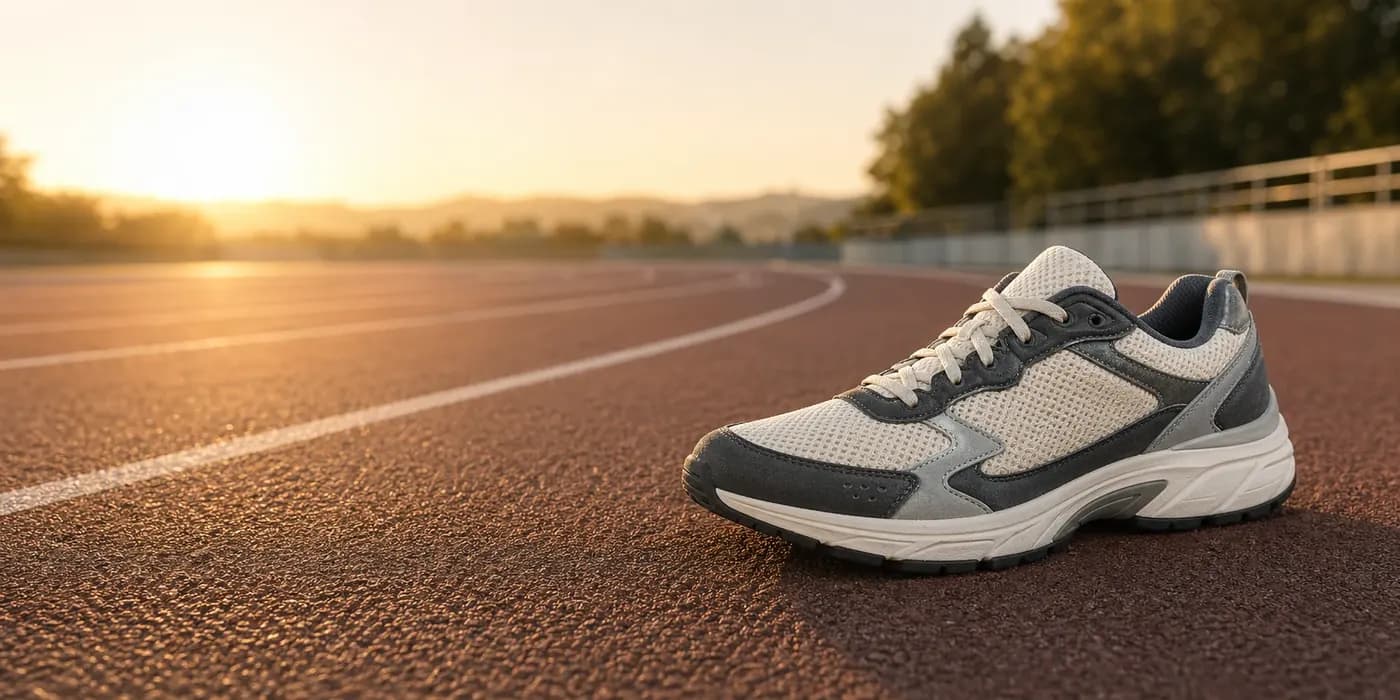
Why it works: it does not simply ask for "a better background." It defines the background, contact shadow, layout, and negative space needed for a campaign banner.
Template 4: Use Composition Or Pose As The Reference
Use this when the final image needs the same layout, gesture, or framing but a different subject, outfit, environment, or brand style.
Reference image:

Prompt:
Use the uploaded image as a pose and composition reference.

Match: seated three-quarter pose, diagonal desk angle, laptop position, hand placement, and camera height.
Change: replace the person with a different original model, change the outfit to a navy work jacket, and move the scene to a bright design studio.
Style: crisp editorial photography, realistic skin texture, natural window light, modern creative workplace.
Output: horizontal hero image for a productivity app landing page.
Constraints: do not copy the person's identity, face, clothing, room decor, or exact props from the reference. No text inside the image.
Result image:

Why it works: it protects against identity copying while still extracting the useful structure: pose, desk angle, laptop placement, and camera height.
Brand Consistency With Reference Images
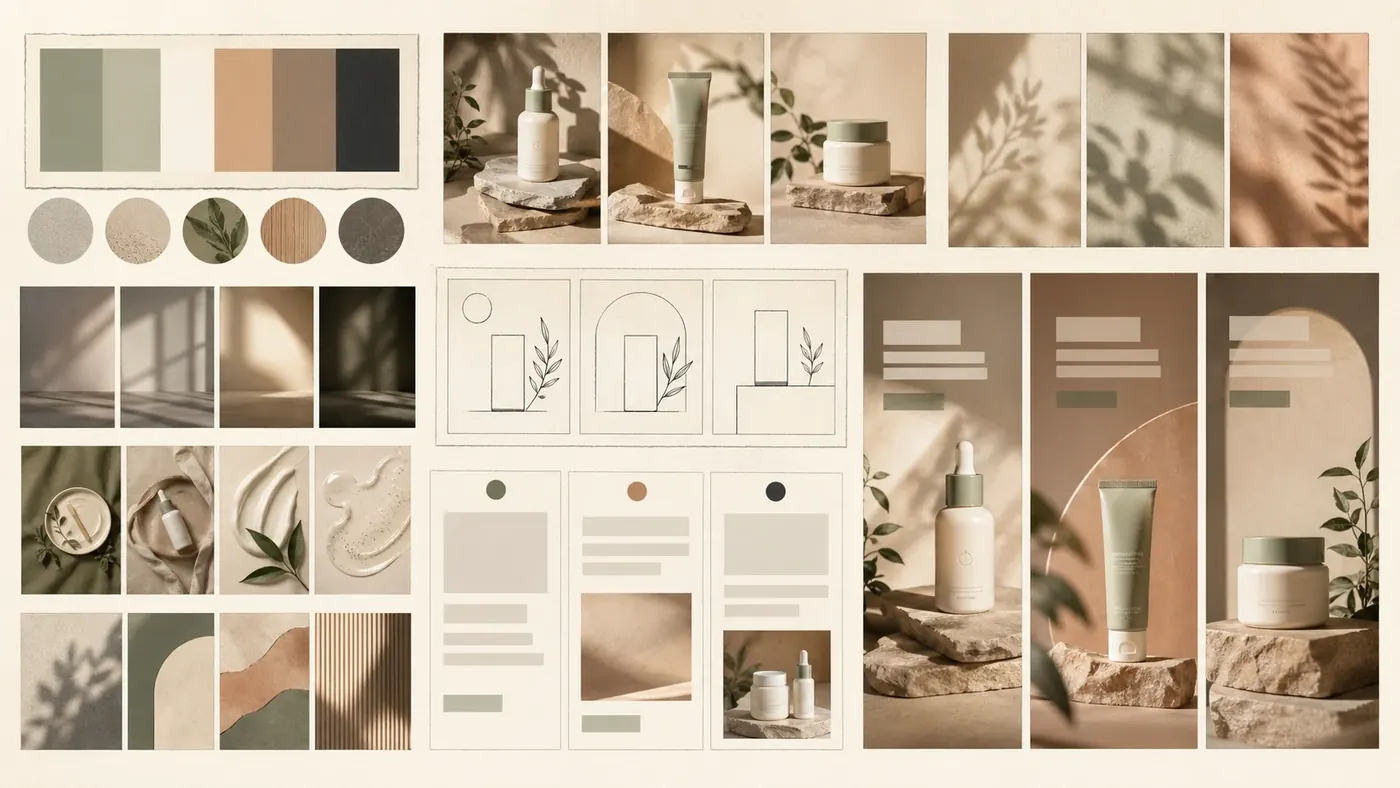
Brand teams should treat reference prompts as a lightweight visual system. Instead of writing a fresh prompt for every asset, define a repeatable reference stack.
| Brand layer | Reference source | Prompt instruction |
|---|---|---|
| Product identity | Packshot, catalog photo, approved 3D render | "Preserve the product identity from Reference A exactly." |
| Visual mood | Moodboard, campaign photo, art direction sample | "Borrow palette, lighting, texture, and spacing from Reference B." |
| Layout system | Previous ad, landing-page hero, marketplace template | "Follow the composition and negative space from Reference C." |
| Channel format | Social, PDP, banner, email hero | "Output a [ratio] image with [copy space] and no embedded text." |
For campaigns, keep a small "reference packet" instead of random one-off uploads:
Reference A: approved product identity.
Reference B: brand lighting and material mood.
Reference C: campaign composition.

Generate a new image for [channel].
Preserve A exactly. Borrow B only for color, lighting, and texture. Follow C for layout and negative space.
Do not introduce new logos, packaging text, product colors, or unrelated props.
This is especially useful for ecommerce operators who need many seasonal scenes without changing the SKU, and for designers who need AI outputs to sit inside an existing brand system.
Common Reference Image Prompt Failures
| Failure | Why it happens | Fix |
|---|---|---|
| Product shape changes | The prompt overemphasizes style or background | Move product details into Preserve and add do not alter proportions. |
| Style reference copies the subject | The reference role was not limited | Say "style reference only" and list what not to borrow. |
| Multi-reference result blends everything | References are unlabeled or conflicting | Label A/B/C and state which reference wins in conflicts. |
| Background replacement looks pasted | Lighting and contact shadows are underspecified | Add lighting direction, surface, shadow, and camera angle. |
| Pose reference copies identity | Prompt says "same person" or fails to block identity copying | Ask for an original model and say not to copy face, clothing, or identity. |
| Brand consistency drifts across outputs | Each prompt starts from scratch | Reuse the same reference packet and locked brand constraints. |
| Text appears when it should not | The model interprets ad layout as needing text | Add "no embedded text" and place copy in the final design tool instead. |
A Practical Reference Prompt Schema
Use this schema when building your own prompt library:
Goal:
[What final asset are you creating?]

References:
Reference A = [identity / style / composition / pose / background / brand system]
Reference B = [optional role]
Reference C = [optional role]

Preserve:
[Locked visible details from the reference image.]

Change:
[Specific details that should be transformed.]

Borrow:
[Style, palette, lighting, layout, or pose details to reuse.]

Do not borrow:
[Subjects, logos, faces, text, props, or exact scene details that should not transfer.]

Output:
[Aspect ratio, channel, framing, copy space, and whether text is allowed.]

Constraints:
[What must not be cropped, invented, recolored, distorted, or redesigned.]
Save this as a reusable internal format. It makes prompts easier to review, share, and revise than a single paragraph of style words.
Try this workflow
If you are building a repeatable reference-image workflow, start with one of the templates above and save it as your team default. In ChatGPTImages, you can turn a prompt pattern into a reusable reference-image brief, test outputs side by side, and keep separate templates for product identity, style borrowing, background replacement, and composition control. The practical goal is not to write longer prompts. It is to make the reference image's job explicit enough that every generation has a clear standard for success.
Related guides
Official sources
Model names, API behavior, and pricing can change. Verify factual claims against the official sources below before budgeting or publishing.