
how to use ChatGPT image generator
How to Use ChatGPT Image Generator: A Practical Workflow for Marketing, Blogs, and Product Visuals
Learn how to use a ChatGPT image generator for blog covers, product visuals, social ads, and hero images with reusable prompts and review steps.
Quick answer
To use a ChatGPT image generator well, do not start with “make me an image.” Start with the job the image must do.
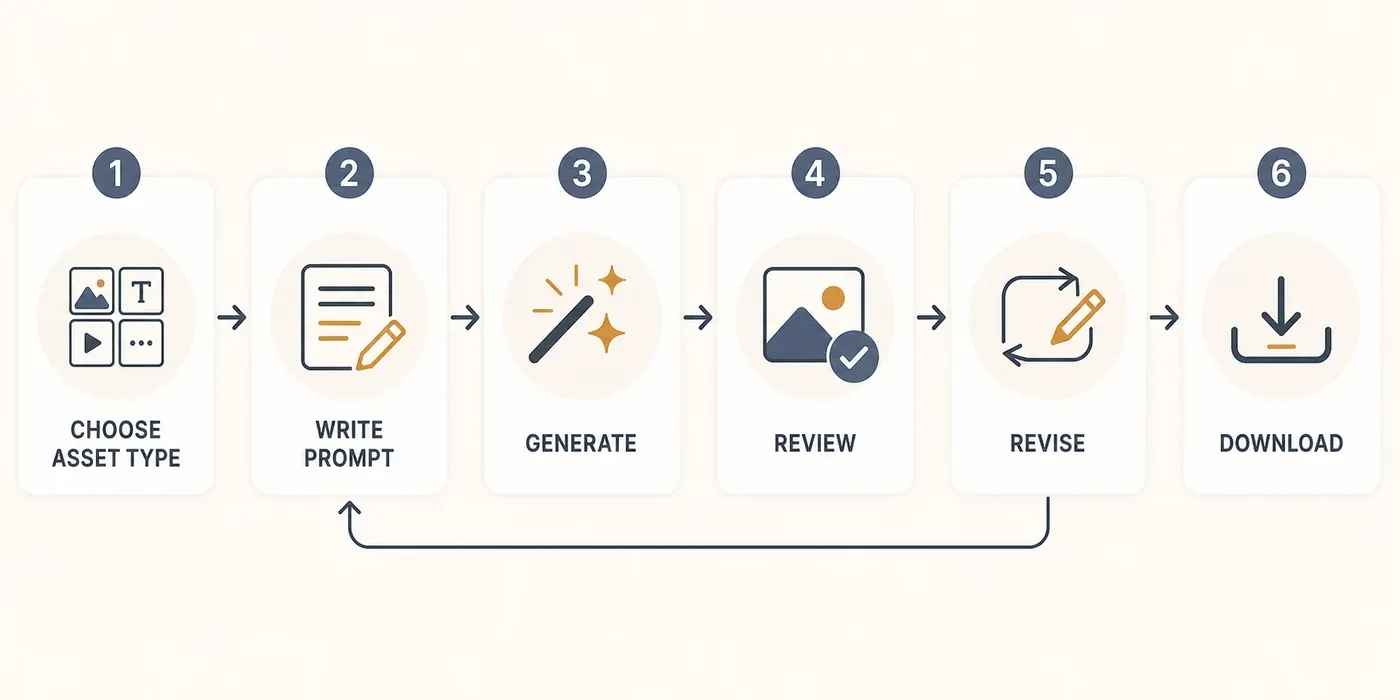
Use this workflow:
- Choose the asset type.
- Define where the image will be used.
- Write a prompt with subject, style, composition, lighting, and constraints.
- Generate a first version.
- Review for usefulness, not just beauty.
- Revise one variable at a time.
- Download, name, and organize the final asset.
Step 1: Choose the Asset Type
The same image idea should be prompted differently depending on where it will be used.
| Asset type | What matters most | Prompt emphasis |
|---|---|---|
| Blog cover | Clear topic signal | Metaphor, negative space, editorial style |
| Product visual | Trust and detail | Material, lighting, surface, composition |
| Social ad | Fast attention | Strong focal point, contrast, mobile readability |
| Website hero | Conversion context | Copy space, brand mood, layout flexibility |
This is the biggest difference between casual image generation and useful production work. A beautiful image that does not fit the page is still a failed asset.
Step 2: Use a Reusable Prompt Formula
Start with this structure:
Create a [asset type] for [use case].
Audience: [who will see it].
Subject: [main object or scene].
Style: [photo, illustration, 3D, editorial, minimal, etc.].
Composition: [orientation, framing, empty space, focal point].
Lighting and mood: [specific lighting].
Constraints: [no text, no logos, no watermark, avoid clutter].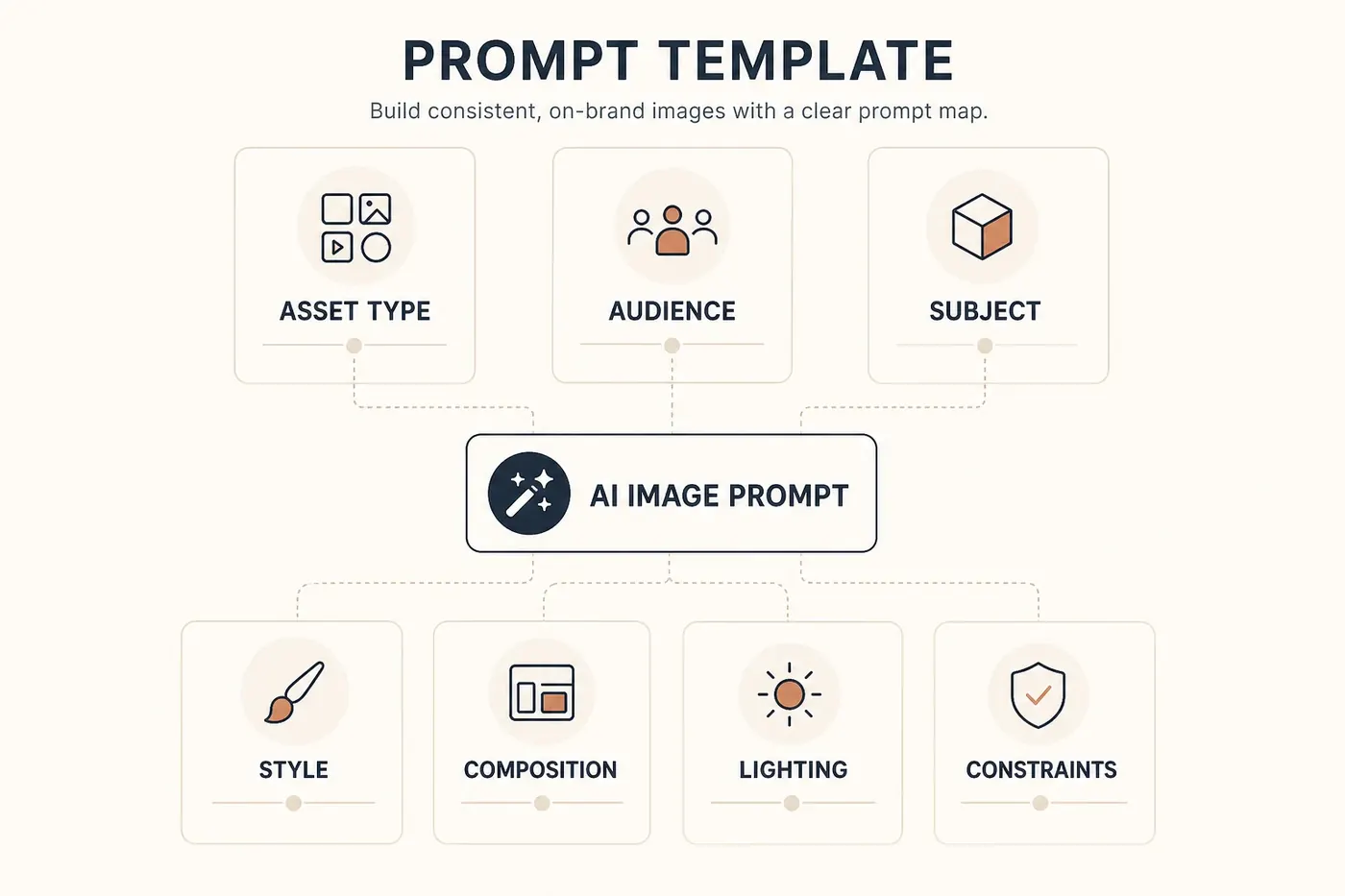
Step 3: Generate, Then Review Like an Editor
Do not approve an image because it looks impressive at first glance. Review it against the job:
- Does it match the asset type?
- Is the subject clear at thumbnail size?
- Is there enough room for headline or UI overlay?
- Are there unwanted words, logos, or artifacts?
- Does the style match the rest of the site or campaign?
- Would a developer or designer know how to use it?
If the answer is no, revise the prompt instead of accepting a pretty but unusable image.
Example 1: Blog Cover
Prompt
Create a 16:9 blog cover image for an article about using AI to speed up content production.
Audience: solo founders and small marketing teams.
Subject: a calm editorial desk with a laptop, image thumbnails, notes, and a simple content calendar.
Style: premium editorial photography, realistic but slightly stylized.
Composition: leave clean negative space on the left for a headline overlay; main objects on the right.
Lighting: warm morning light, soft shadows.
Constraints: no readable text, no logos, no watermark, no clutter.
Generated example

Why it works: the prompt defines both the topic and the layout need: space for a headline.
Example 2: Product Showcase
Prompt
Create a square product showcase image for a minimalist ceramic desk lamp.
Audience: ecommerce shoppers comparing premium home office accessories.
Subject: one matte ivory ceramic desk lamp on a walnut desk.
Style: high-end ecommerce photography.
Composition: product centered, slight three-quarter angle, enough margin for cropping.
Lighting: soft studio light with a warm evening glow.
Constraints: no text, no logo, no extra products, no hands, no watermark.
Generated example
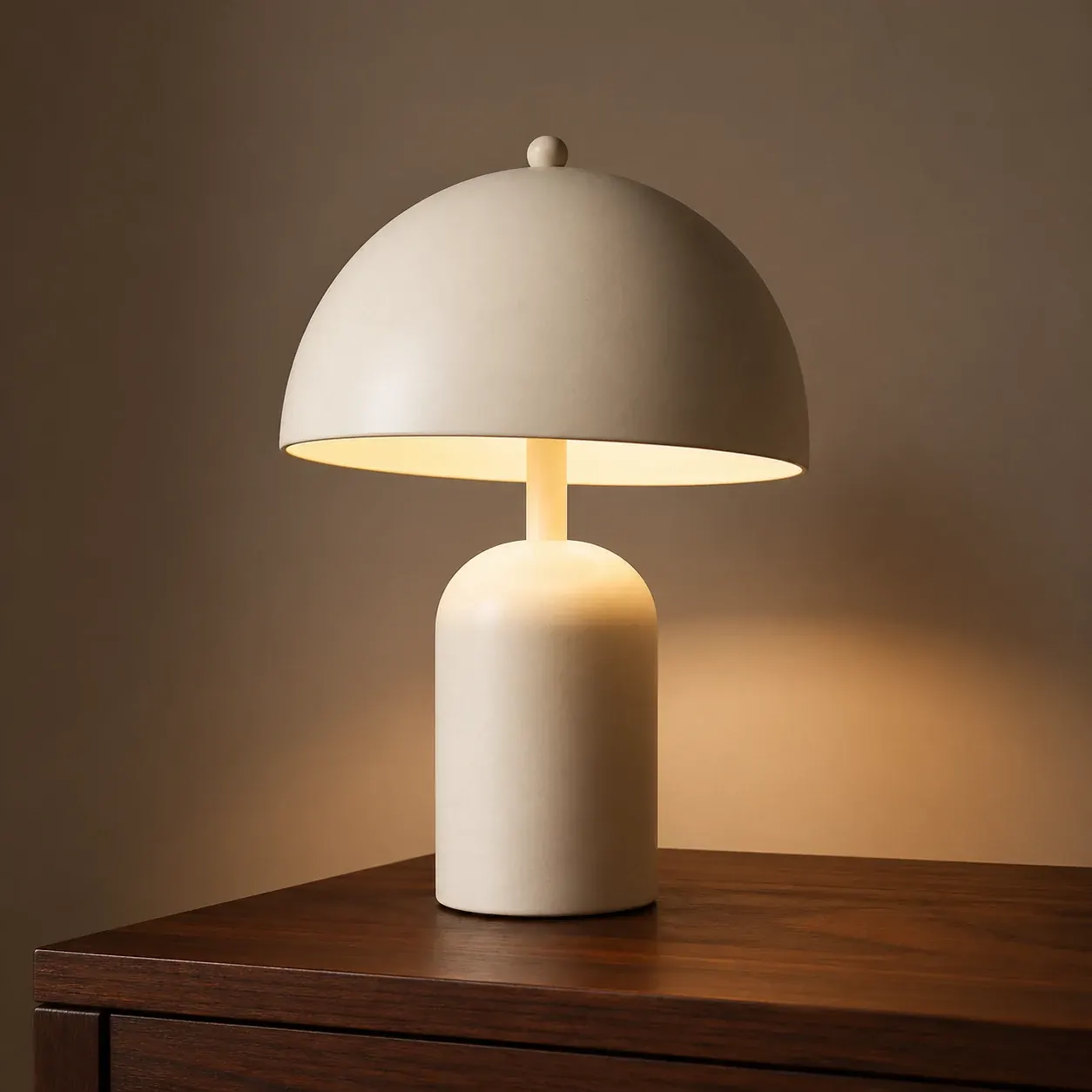
Why it works: the prompt is specific about material, lighting, crop safety, and what not to include.
Example 3: Social Ad Creative
Prompt
Create a vertical 4:5 social ad creative for a productivity app.
Audience: busy freelancers who want a calmer task workflow.
Subject: a phone on a clean desk showing an abstract task board with soft colored cards.
Style: modern SaaS lifestyle photography with subtle UI abstraction.
Composition: phone in the lower center, large clean space at the top for ad copy.
Lighting: bright natural daylight, optimistic mood.
Constraints: no readable app text, no real brand logos, no watermark.
Generated example

Why it works: the image is designed for ad layout, not just aesthetics.
Example 4: Website Hero Image
Prompt
Create a wide website hero image for an AI image generation tool.
Audience: creators and small teams who need marketing visuals quickly.
Subject: a polished creative workspace with floating image previews, prompt cards, and export-ready assets.
Style: clean SaaS editorial visual, premium but approachable.
Composition: visual activity on the right, open gradient space on the left for headline and CTA.
Lighting: soft glassy daylight, calm and professional.
Constraints: no readable UI text, no logos, no watermark, no busy background.
Generated example

Why it works: it describes the product promise while leaving real page copy editable.
How to Revise Without Losing Control
Revise one variable at a time:
- If the image is too busy, ask for fewer objects and more negative space.
- If the style is wrong, change only the style line.
- If the crop is wrong, change only composition and orientation.
- If the lighting feels cheap, change only lighting and materials.
- If text appears, add stricter “no text” rules.
Avoid rewriting the whole prompt after every result. You will not know what improved or broke the output.
File Naming and Handoff
For real content operations, organize generated files immediately:
blog-cover-ai-content-production-v1.webp
product-ceramic-desk-lamp-square-v1.webp
social-ad-productivity-app-4x5-v1.webp
website-hero-ai-image-tool-wide-v1.webp
Good naming helps a developer integrate images later and prevents the “final-final-2.png” problem.
Where ChatGPTImages Fits
ChatGPTImages is useful when you want a fast browser workflow for producing and reviewing marketing visuals. Use it to:
- Explore image directions before a design sprint.
- Create blog and landing page draft visuals.
- Generate campaign variations.
- Build a visual reference set for a developer or designer.
- Compare prompts without setting up an API workflow.
Use the API when you need automated generation inside a product pipeline. Use the browser generator when you need human review and fast iteration.
Related guides
Official sources
Model names, API behavior, and pricing can change. Verify factual claims against the official sources below before budgeting or publishing.